
SensorVUE Cloud Software
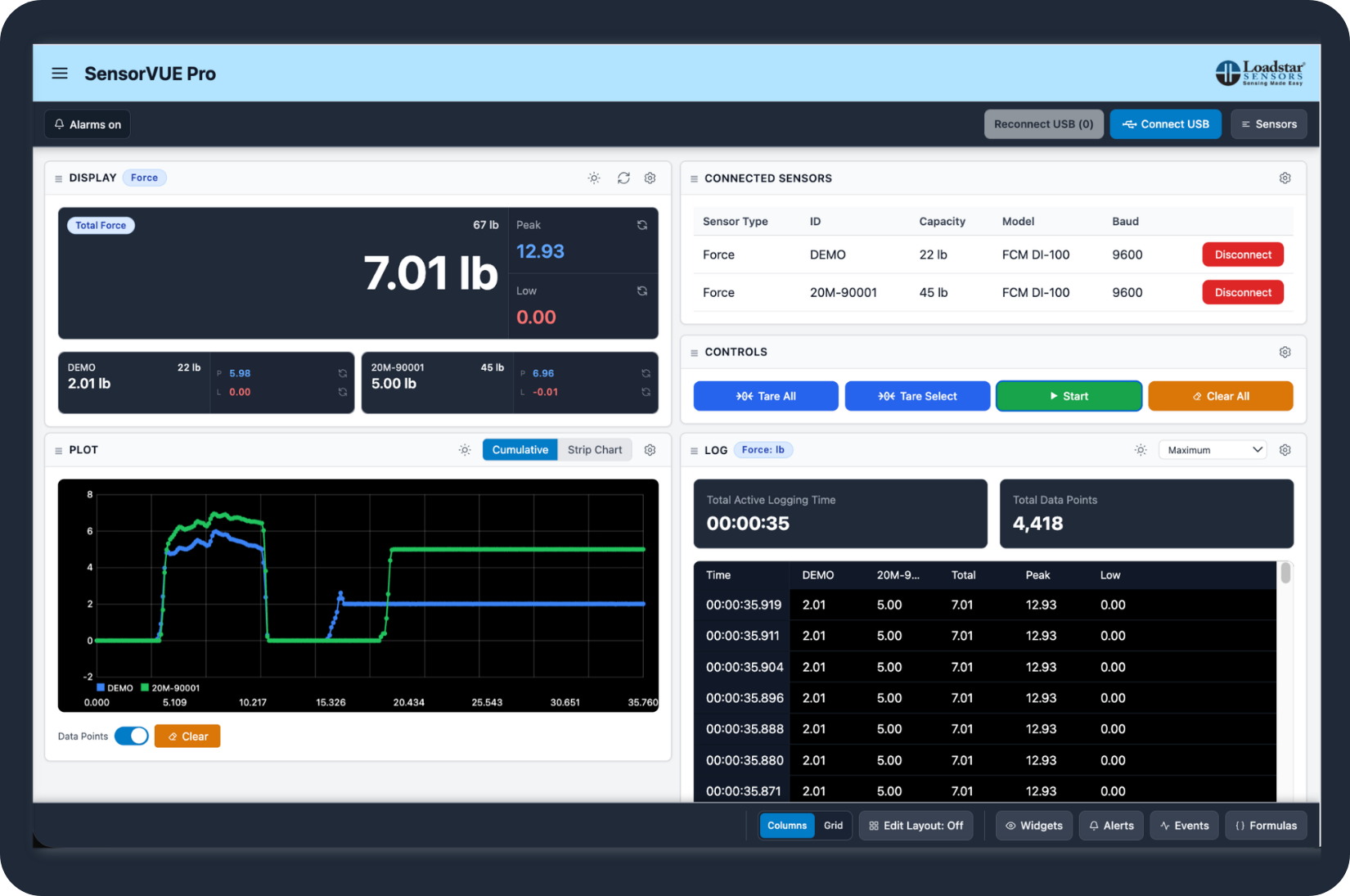
SensorVUE Cloud is a Multi Channel, Multi Sensor Software to Display, Log and Plot Sensor Data from multiple sensors and/or multiple types of sensors on a Chromium browser like, Google Chrome, Microsoft Edge, Brave. You can display force and displacement data simultaneously while logging data to a comma separated value file!
Our flagship software, now available online, works with any of our digital sensors - force/weight, torque, pressure, level and impact force measurement up to 1 KHz data capture rate. We highly recommend that you subscribe to this software, even if you plan to write your own software.
Highlights
SensorVUE Cloud software is accessible online through your browser. It enables you to work with any type of sensor we offer as well as any number of sensors. Use SensorVUE Cloud to view, log, and plot data from any of our digital sensors.
- Multiple Channels - Force/Load/Weight/Pressure/Torque/Level
- Peak/Low Value
- Remote Support
- Recalibration Utility
- Support for data rates up to 1000 Hz
- Accessible through the browser (online)
- Select Units
- Monitor Events
- Email Alerts based on alert settings
- Arrange Windows to any size location on screen
- Generate Derived values (formula sensors)
Plotting Data
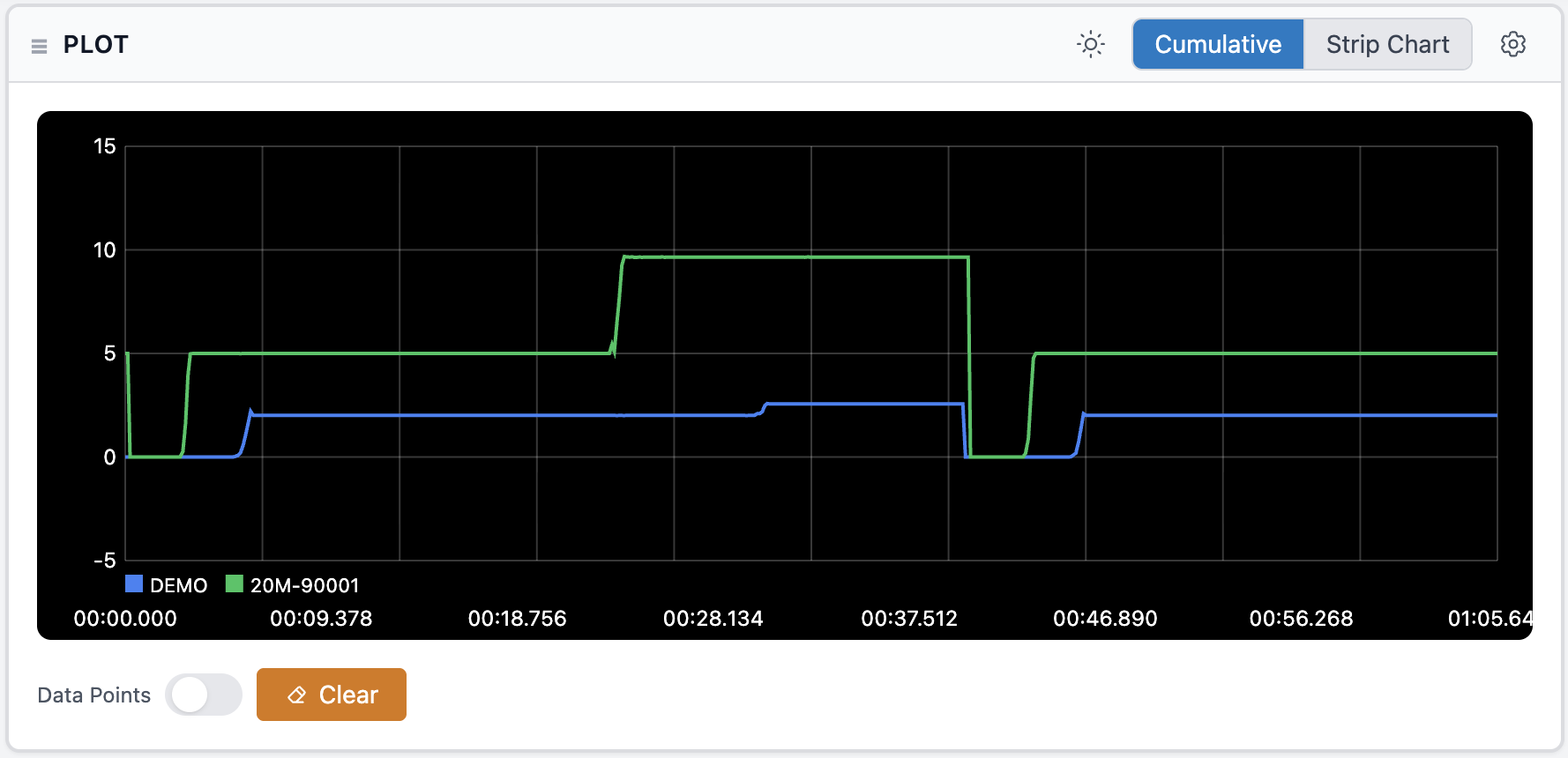
Raw sensor readings as well as Peak and Low values can be plotted as a X-Y (Force vs. Time) plot. Additional l data such as derived values (Formula sensors) as well as averaged and /or median readings can also be plotted to remove unwanted sensor noise, damp vibrations etc.
Logging Data
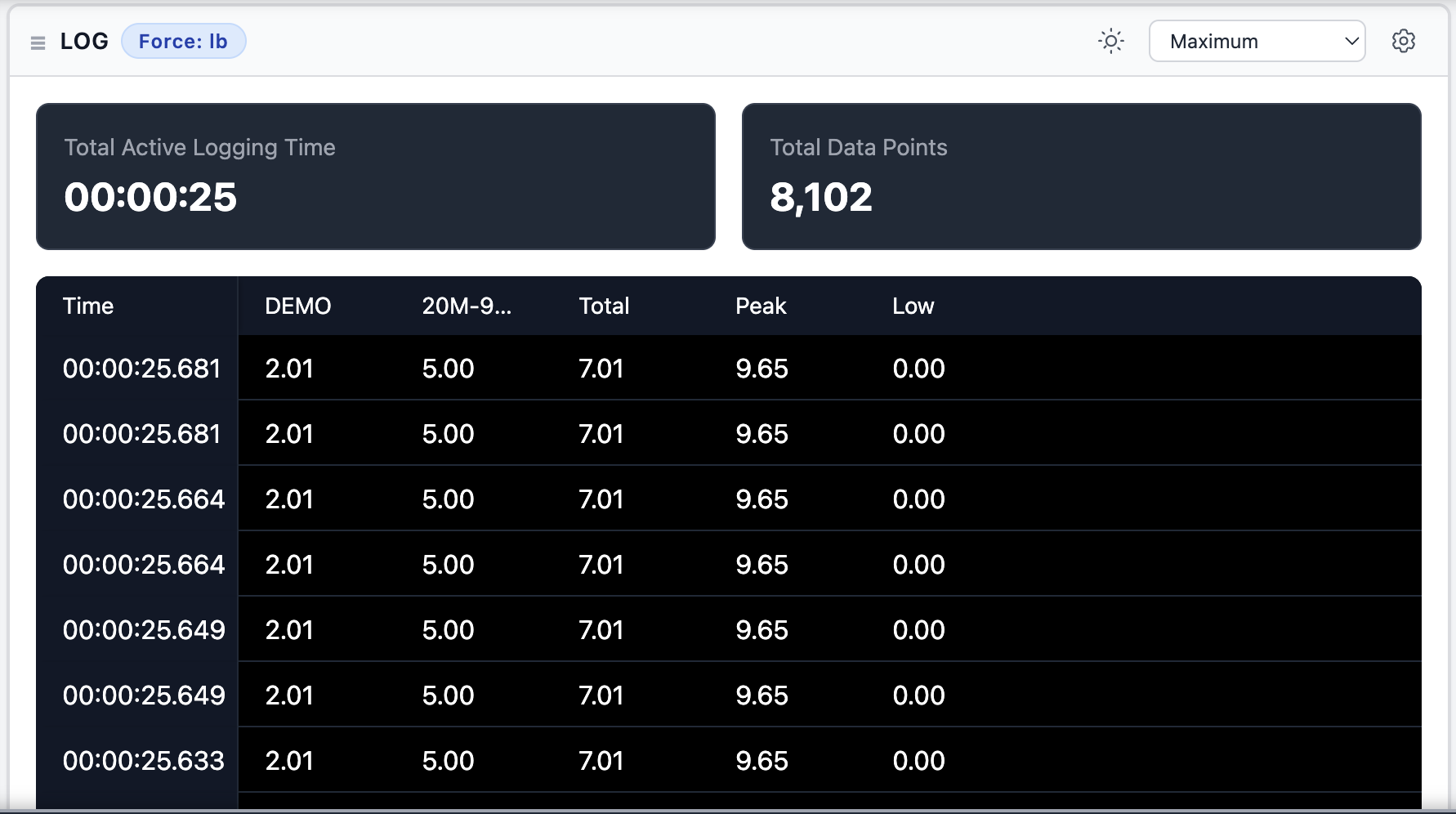
Data can be logged to Excel compatible CSV files. Depending on the sensor, data logging at different rates can be captured from a drop down list up to a maximum of 1000 Hz.
Select Units
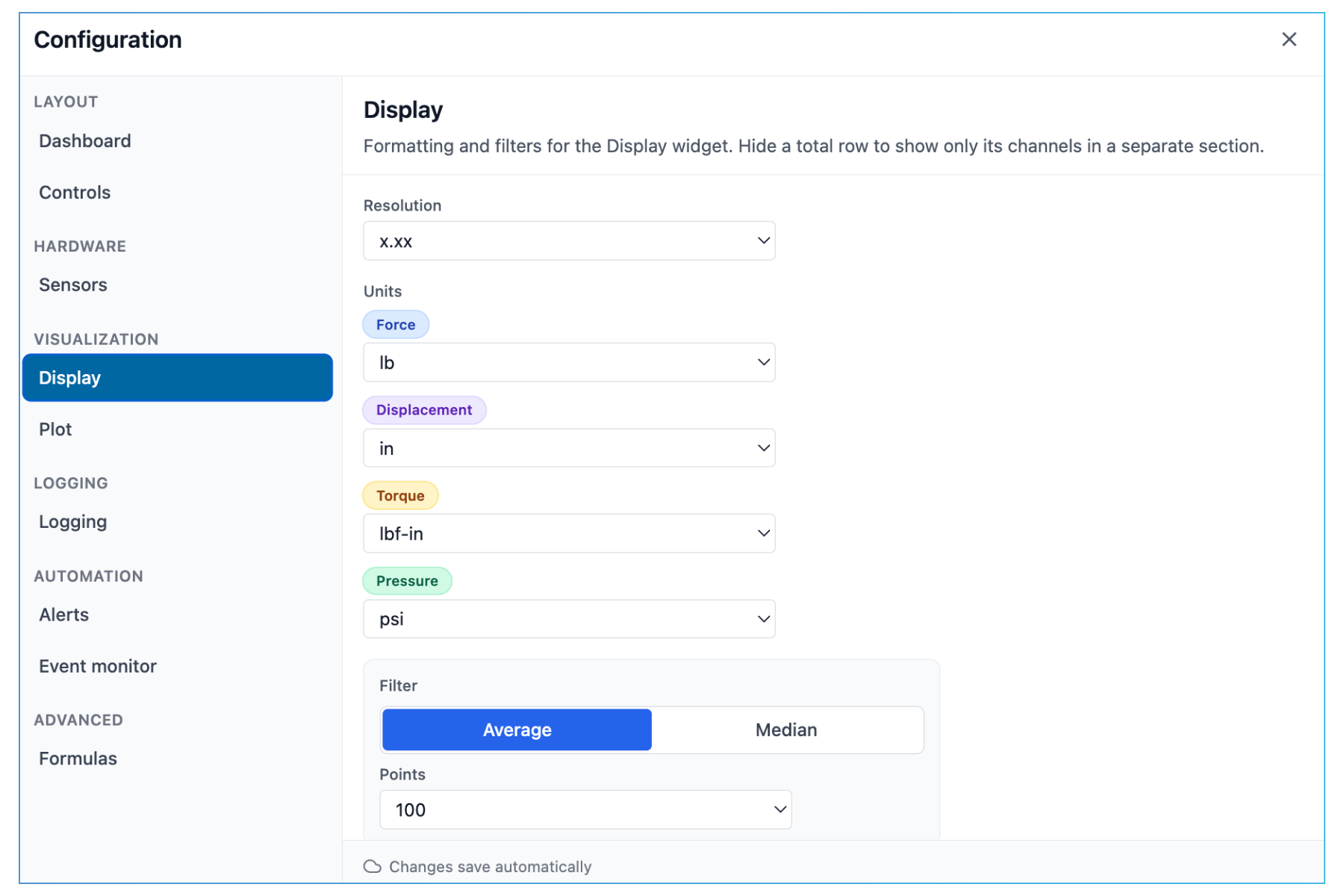
Sensor Data can be read in many applicable units, for example:
- Pounds, Newton, Kilogram, Grams for force/weight sensors
- Inches, millimeters for displacement sensors.
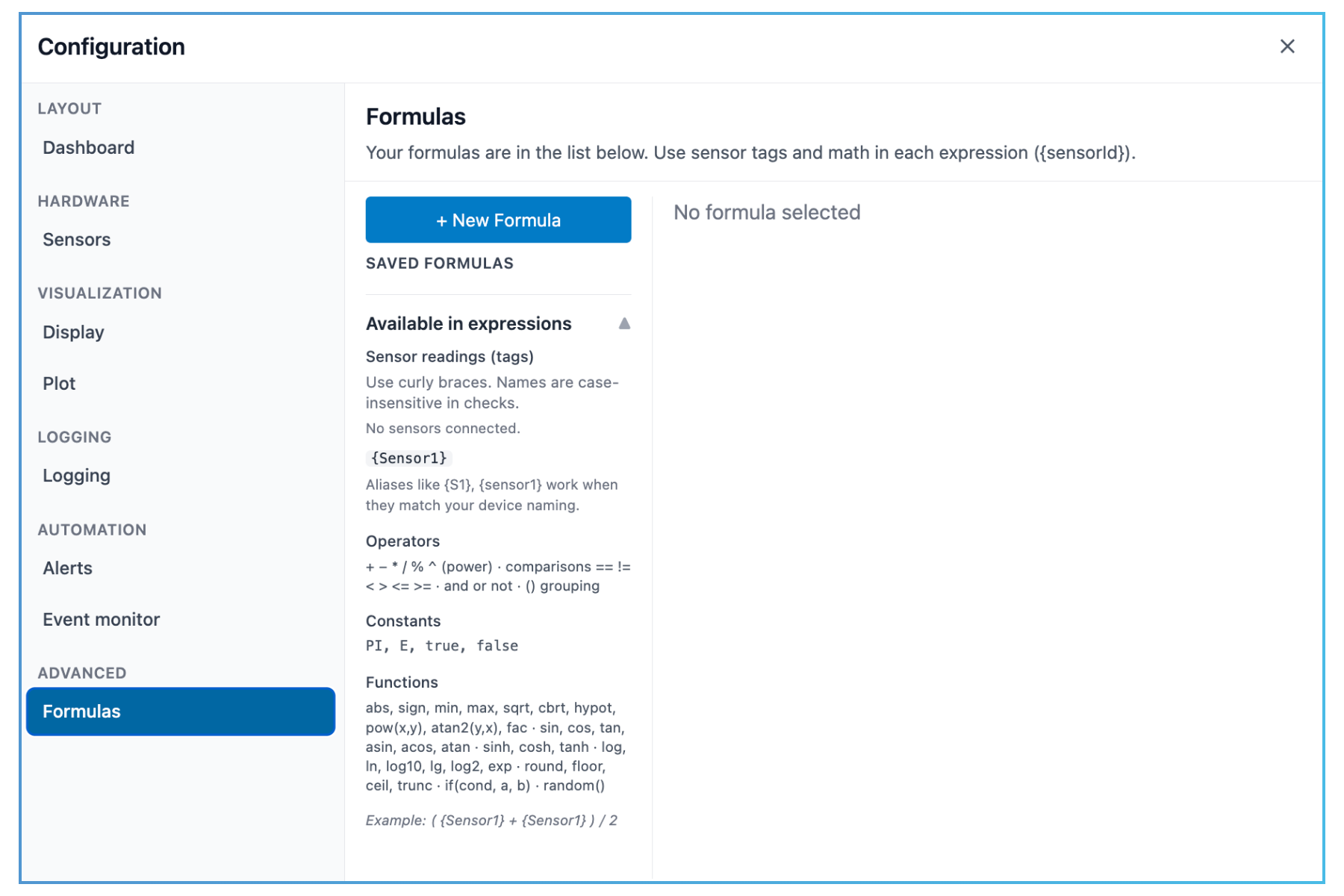
Formula Sensors to Generate Derivative Values
Combine one or more sensors to create a virtual sensor. Simple formulas (using the 4 basic operations: + - * / ) can be used to create a virtual sensor. For example if you are using a force sensor and know the area under the force, you can plot the stress by creating a formula Force/Area. You can then log, plot, set alarms on, etc these virtual sensors just as you would a real sensor. You can even combine formula sensors to create a new formula sensor.
Sensor Data Based Alerts
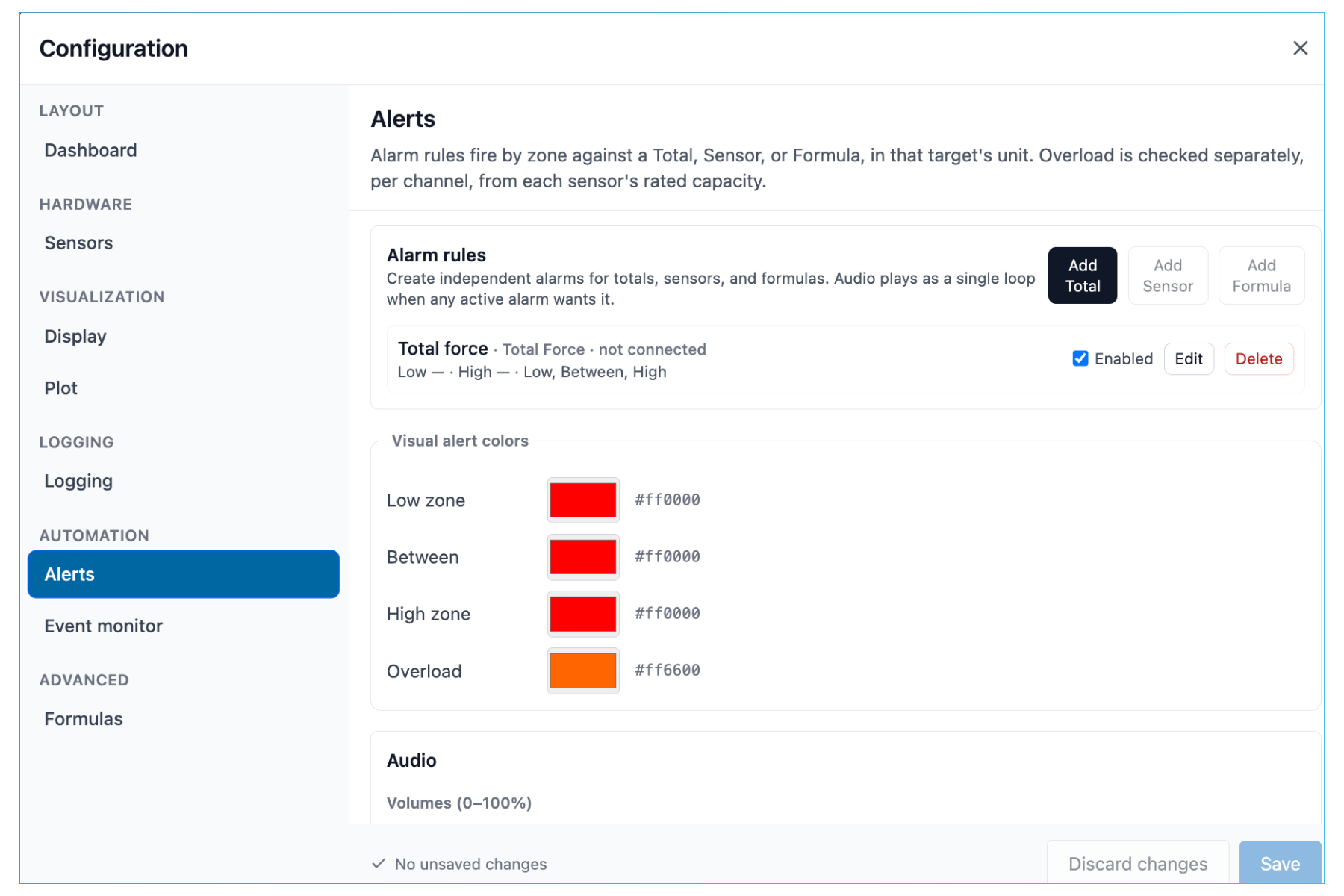
Set alerts based on the sensor readings. You can set alerts for Low zone, High Zone, and Overloads.
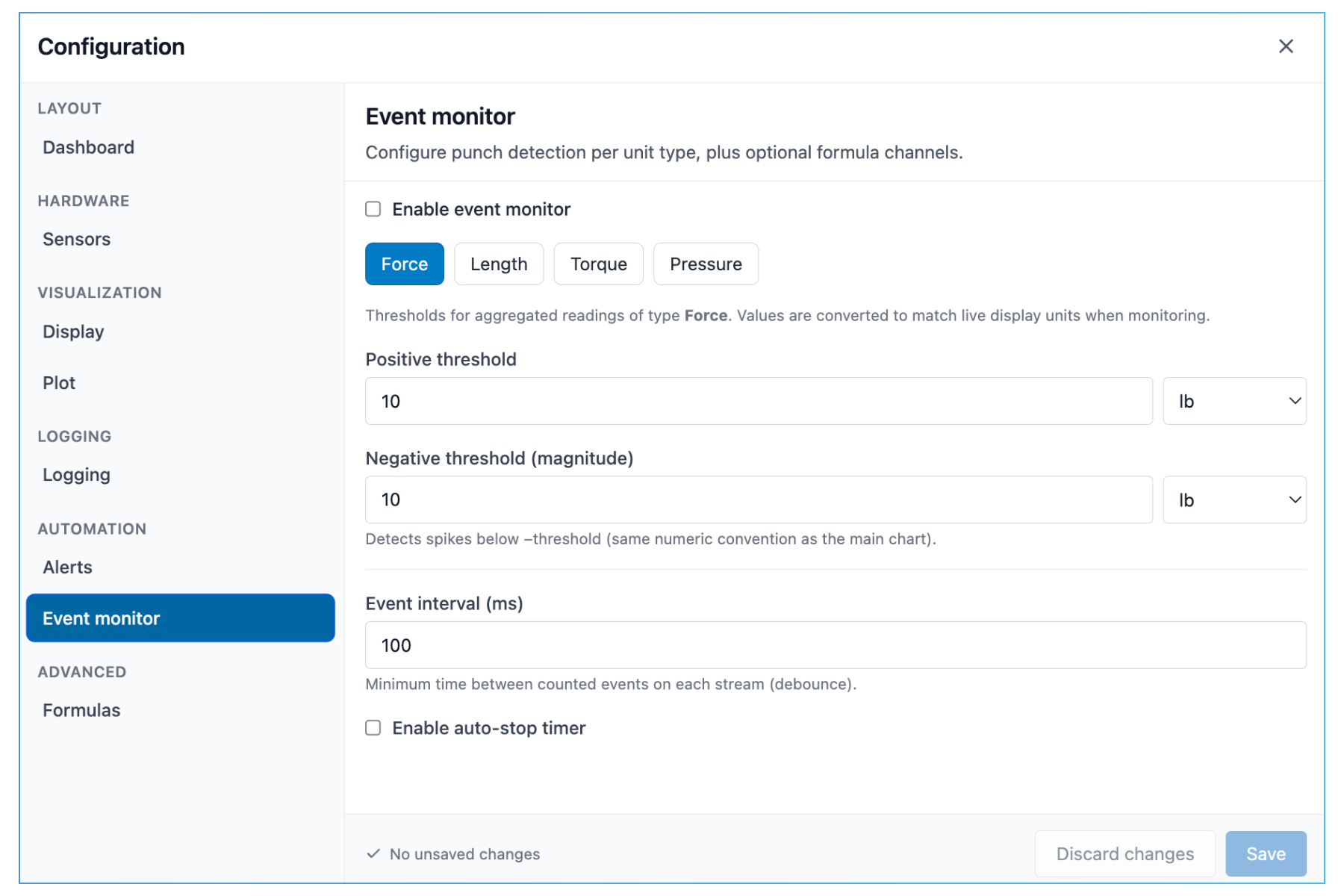
Monitor Events
Set positive thresholds, negative thresholds, and event intervals.
Pricing
SensorVUE Cloud Subscription Plans
- No. of channels4
- # of machines1
- Text values✓
- Peak/Low✓
- Log×
- Plot×
- Alerts×
- Formula sensors×
- Calibration includedExtra
- No. of channels4
- # of machines1
- Text values✓
- Peak/Low✓
- Log✓
- Plot✓
- Alerts✓
- Formula sensors✓
- Calibration includedExtra
- No. of channels4
- # of machines1
- Text values✓
- Peak/Low✓
- Log✓
- Plot✓
- Alerts✓
- Formula sensors✓
- Calibration includedExtra
- No. of channels4
- # of machines1
- Text values✓
- Peak/Low✓
- Log✓
- Plot✓
- Alerts✓
- Formula sensors✓
- Calibration includedExtra
A calibration-only plan with no reading dashboard. On a dashboard plan already? Add it as an add-on instead of switching, so you keep everything you have now.
